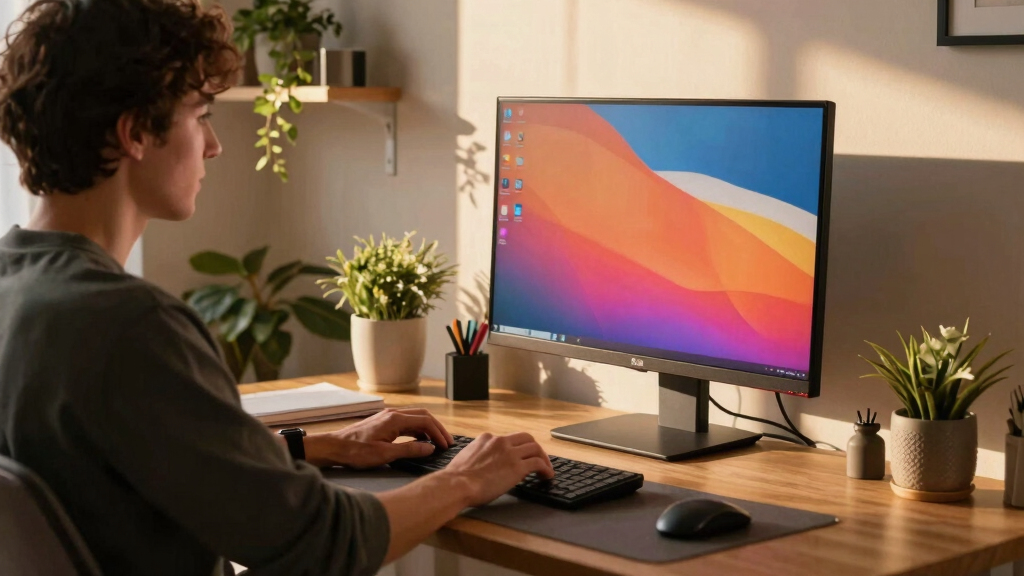

If you’re searching for the best LG computer monitors in 2026, you’re likely balancing factors like resolution, refresh rate, and connectivity. The LG 27US500-W Ultrafine stands out for crisp 4K clarity suited to creative work, while the LG 32GX850A-B UltraGear offers a premium gaming experience with fast response times and OLED tech. These options exemplify the core tradeoffs: higher resolution and better color accuracy often come with a higher price, while gaming-focused models prioritize refresh rate and response time. Continue reading for a detailed breakdown of these monitors and what makes each one unique.

Turn your wind-down time into listening time
- Thousands of audiobooks, podcasts and originals
- Listen on your phone, tablet or Echo — also offline
- Cancel anytime
Key Takeaways
- The top monitors balance resolution, refresh rate, and color accuracy based on their primary use case.
- Gaming models like the LG 32GX850A-B and 32G620B-B prioritize high refresh rates and low response times over color fidelity.
- Ultrawide and curved screens, such as the LG 34U650A-B and 34WR55QK-B, enhance productivity and immersion but often come at a higher cost.
- Connectivity options like USB-C and HDMI are vital for versatile setups, especially with newer laptops and devices.
- Premium features like OLED panels and G-Sync support significantly improve visual quality but increase overall price.

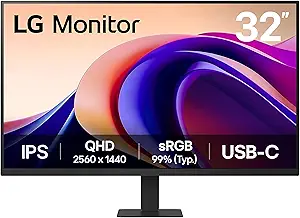


| LG computer monitor | Resolution | Refresh Rate | Display Size | HDR |
|---|---|---|---|---|
| LG 27U511SA-W 27-Inch Smart Fu | 1920 x 1080 (Full HD) | 100Hz | 27 inches | — |
| LG 32U631A-B 32-inch QHD IPS C | 2560 x 1440 (QHD) | 100Hz | 32 inches | HDR10 |
| LG 27US500-W Ultrafine 27-Inch | 3840 x 2160 (4K UHD) | — | — | HDR10 |
| LG 32GX850A-B 32" UltraGear 4K | 3840 x 2160 (4K UHD) | 165Hz / 330Hz dual mode | 32 inches | VESA DisplayHDR True Black 400 |
| LG 32UR500K-B 32-inch 4K UHD M | 3840 x 2160 (4K UHD) | — | 32 inches | HDR10 |
| LG 34U650A-B 34-inch UltraWide | 3440 x 1440 (WQHD) | 100Hz | 34 inches | — |
| LG 32MR50C-B 32-Inch Curved Fu | 1920×1080 (FHD) | 100Hz | — | — |
| LG 32UP83AK-W 32-inch 4K UHD I | 3840 x 2160 (4K UHD) | 60Hz | 32 inches | HDR10 |
| LG 27U411A-B 27-inch Full HD I | 1920 x 1080 | 120Hz | 27 inches | — |
| LG 34WR55QK-B 34-inch UltraWid | 3440 x 1440 | 100Hz | 34 inches | HDR10 |
| LG 27UP850K-W 27-inch 4K UHD I | 3840 x 2160 (4K UHD) | 60Hz | 27 inches | DisplayHDR 400 |
| LG 32GS60QC-B Ultragear 32-inc | QHD 2560×1440 | 180Hz | 32 inches | HDR10 |
| LG 45GX900A-B 45-Inch Ultragea | WQHD 3440 x 1440 | 240Hz | — | DisplayHDR True Black 400 |
| LG 32G620B-B 32-inch Ultragear | QHD 2560×1440 | 200Hz | 32 inches | HDR10 |
| LG 37U730SA-W 37-inch 4K UHD I | 3840 x 2160 (4K UHD) | — | — | HDR10 |
More Details on Our Top Picks
LG 27U511SA-W 27-Inch Smart Full HD IPS Computer Monitor
This monitor stands out for its combination of sharp visuals and integrated smart features, making it ideal for users who want an all-in-one display for work, streaming, and casual gaming. Compared with the 32-inch options, the 27U511SA-W’s 27-inch size offers a more manageable footprint, while its webOS platform adds streaming apps directly on the monitor—something the 27-inch full HD model lacks. However, its resolution caps at 1080p, which might disappoint creative professionals seeking high-detail work. The built-in speakers and wireless casting add convenience, though the absence of height adjustment limits ergonomic flexibility. This pick makes the most sense for users who prioritize smart features and versatility without needing 4K resolution.
Pros:- Vivid color and sharp clarity with IPS panel
- Built-in streaming apps and webOS for entertainment
- Versatile connectivity including HDMI and USB
- Wireless casting via AirPlay 2 and HomeKit
Cons:- No height adjustment or extensive ergonomic options
- Requires separate purchase of Magic Remote for full webOS functionality
- Limited to 1080p resolution, not suitable for high-detail tasks
Best for: Home users seeking an all-in-one monitor with entertainment features and decent image quality
Not ideal for: Professional creators or gamers requiring high resolutions and advanced ergonomic controls
- Display Size:27 inches
- Resolution:1920 x 1080 (Full HD)
- Refresh Rate:100Hz
- Panel Type:IPS
- Contrast Ratio:1300:1
- Built-in Speakers:Yes
- Connectivity:2 HDMI, 2 USB
- Compatibility:AirPlay 2, HomeKit, webOS
Our verdict“This is a well-rounded choice for users who want a smart, versatile monitor for everyday entertainment and productivity.”
LG 32U631A-B 32-inch QHD IPS Computer Monitor with HDR10, 100Hz, USB Type-C
The 32U631A-B offers a larger display with sharper visuals thanks to its QHD resolution, making it a compelling choice for users who want more detail than Full HD. Its 100Hz refresh rate ensures smoother motion compared to standard 60Hz screens, similar to the 27U511SA-W, but with a much higher resolution for productivity and entertainment. The inclusion of USB Type-C with 15W power delivery adds convenience for modern setups. While it excels in visual performance, it lacks built-in speakers, unlike the 32UR500K-B, which offers audio but at a slightly lower resolution. The limited size may not fit all workspaces, and pricing details are not provided, which could influence value perception. Overall, this monitor makes sense for those demanding vibrant visuals and flexible connectivity without the need for 4K, at a more affordable price point than premium models.
Pros:- Vivid and vibrant visuals with wide viewing angles
- Smooth motion with 100Hz refresh rate and 5ms response time
- Multiple connectivity options including USB Type-C with power delivery
- Enhanced eye comfort features like Reader Mode and Flicker Safe
Cons:- Limited to 32-inch size, which might not fit all desks
- No built-in speakers, so external audio needed
- Price details are not specified for comparison
Best for: Creative professionals and power users who want a detailed, vibrant display with USB-C connectivity
Not ideal for: Users seeking built-in speakers or a smaller desk footprint
- Display Size:32 inches
- Resolution:2560 x 1440 (QHD)
- Panel Type:IPS
- Refresh Rate:100Hz
- Response Time:5ms
- HDR:HDR10
- Connectivity:HDMI, USB Type-C with 15W PD
- Features:Reader Mode, Flicker Safe
Our verdict“This monitor provides a strong balance of sharp visuals and flexible connectivity for creative and professional users.”
LG 27US500-W Ultrafine 27-Inch 4K UHD HDR10 IPS Monitor
The 27US500-W shines for its crisp 4K resolution and wide color gamut, making it ideal for photo editing, content creation, and detailed digital work. Its HDR10 support enhances contrast and colors, providing a richer visual experience compared to lower-resolution monitors like the 27U511SA-W. The ergonomic stand offers tilt adjustment for comfortable viewing, a feature missing from some budget models. However, the absence of built-in speakers or extensive connectivity options may limit its all-in-one appeal, and without mention of other ergonomic features like height adjustment, long-term comfort could be compromised. Compared to the 32-inch models, this one prioritizes high resolution over size, making it suitable for dedicated creative tasks rather than general multitasking.
Pros:- High-resolution 4K display with vivid colors
- Supports HDR10 for enhanced visual depth
- Ergonomic, tilt-adjustable stand
- Wide viewing angles suitable for creative work
Cons:- No built-in speakers or extensive connectivity
- Limited ergonomic features beyond tilt
- Price not specified, potentially premium
Best for: Creative professionals and digital artists needing high resolution and color accuracy
Not ideal for: Gamers or users who prefer larger screens or integrated audio solutions
- Size:27 inches
- Resolution:3840 x 2160 (4K UHD)
- Contrast Ratio:1000:1
- Color Gamut:90% DCI-P3
- HDR:HDR10
- Panel Type:IPS
- Stand:Ergonomic tilt
Our verdict“This monitor is best for creative professionals who prioritize resolution and color fidelity over size or built-in features.”
LG 32GX850A-B 32″ UltraGear 4K UHD OLED Gaming Monitor
This OLED gaming monitor elevates the gaming experience with its astonishing contrast, vibrant colors, and near-instant response times—features critical for fast-paced games. Its 0.03ms response time and support for both G-SYNC and FreeSync Premium Pro set it apart from standard monitors like the 32UR500K-B, which lacks high refresh rates and adaptive sync technologies. The dual-mode refresh rate—up to 165Hz or 330Hz—caters to competitive gamers seeking ultra-smooth gameplay. The glossy OLED finish produces reflections in bright environments, and its premium price tag may be prohibitive for casual players. While 32 inches might seem small for some gaming setups, the visual quality more than compensates for the size tradeoff, especially for immersive single-player experiences.
Pros:- Vivid OLED display with deep blacks and vibrant colors
- Fastest response time on the market at 0.03ms
- Supports G-SYNC and FreeSync Premium Pro for tear-free gaming
- Highly adjustable ergonomic stand
Cons:- Glossy finish causes reflections in bright environments
- High price may be out of reach for many gamers
- Limited to 32 inches, which might feel small for some setups
Best for: High-end gamers seeking the best visual fidelity and fast response times
Not ideal for: Casual users or those with bright rooms prone to reflections, due to the glossy finish
- Display Size:32 inches
- Resolution:3840 x 2160 (4K UHD)
- Panel Type:OLED
- Brightness:275 nits
- Contrast Ratio:1.5M:1
- HDR:VESA DisplayHDR True Black 400
- Response Time:0.03ms (GtG)
- Refresh Rate:165Hz / 330Hz dual mode
Our verdict“This monitor delivers an exceptional gaming experience for enthusiasts willing to invest in premium OLED visuals and ultra-fast response times.”
LG 32UR500K-B 32-inch 4K UHD Monitor with HDR10 and Built-in Speakers
The 32UR500K-B combines stunning 4K resolution with HDR10 support and built-in stereo speakers, making it a well-rounded choice for entertainment and casual gaming. Its 32-inch size offers a good balance between workspace and immersion, especially with its wide color gamut and HDR enhancements that elevate visual quality over standard 4K displays. The inclusion of built-in speakers adds convenience for media consumption, unlike some high-resolution models that lack audio. However, it may lack some advanced features like USB-C or extensive ergonomic options, which could be limiting for more demanding setups. The absence of detailed pricing information means potential buyers need to compare this model against similarly featured monitors to determine value.
Pros:- Vivid 4K UHD display with wide color support
- HDR10 enhances contrast and color depth
- Built-in stereo speakers for media playback
- Adjustable tilt ergonomic stand
Cons:- Limited to 32 inches, which may not suit all spaces
- No mention of USB-C or other advanced ports
- Potentially higher price for premium features
Best for: Entertainment-focused users who want a 4K display with integrated audio and decent size
Not ideal for: Users who need extensive connectivity options or higher ergonomic flexibility
- Display Size:32 inches
- Resolution:3840 x 2160 (4K UHD)
- Color Gamut:90% DCI-P3
- HDR:HDR10
- Speakers:Built-in stereo
- Connectivity:HDMI x2, DisplayPort
- Features:OnScreen Control, Reader Mode
- Stand:Ergonomic tilt
Our verdict“This monitor offers a compelling combination of 4K visuals, HDR, and integrated audio for entertainment and casual gaming.”
LG 34U650A-B 34-inch UltraWide WQHD IPS Curved Computer Monitor, 100Hz, HDR10, Built-in Speakers, HDMI, DisplayPort, USB-C PD 96W, Adjustable Stand
This LG 34U650A-B stands out for its expansive 34-inch UltraWide display, which significantly enhances productivity compared to standard-sized monitors like the LG 27U411A-B. Its IPS panel delivers vibrant, accurate colors, making it ideal for creative tasks, while HDR10 support adds depth to visuals. The inclusion of a USB-C port with 96W charging simplifies cable clutter and powers compatible devices, a feature not available on many competitors. The adjustable stand ensures ergonomic comfort during long work sessions. However, the 100Hz refresh rate, while smooth for general use, may not satisfy gamers seeking ultra-high refresh rates. The built-in speakers, though convenient, lack audiophile quality and may require external audio. Software installation can be a minor hurdle for full feature access.
Pros:- Large 34-inch UltraWide display boosts productivity and multitasking
- Vibrant colors with HDR10 support and 99% sRGB coverage
- USB-C port with 96W charging reduces cable clutter
- Adjustable stand for ergonomic comfort
Cons:- Refresh rate may vary depending on graphics setup, limiting gaming performance
- Built-in speakers are not audiophile-grade and may require external audio
Best for: Creative professionals and multitaskers who need a wide workspace and versatile connectivity.
Not ideal for: High-end gamers expecting 144Hz+ gaming performance or audiophiles seeking premium sound quality.
- Display Size:34 inches
- Resolution:3440 x 1440 (WQHD)
- Panel Type:IPS
- Refresh Rate:100Hz
- Response Time:5ms
- Connectivity:USB-C, HDMI, DisplayPort
- USB-C Power Delivery:96W
- Stand Adjustments:Tilt, swivel, height
- Built-in Speakers:Yes
Our verdict“This monitor makes the most sense for users who prioritize a broad workspace and vibrant visuals over ultra-high refresh rates.”
LG 32MR50C-B 32-Inch Curved Full HD Monitor with 100Hz Refresh Rate and AMD FreeSync
This 32-inch curved LG 32MR50C-B emphasizes smooth visuals with a 100Hz refresh rate and AMD FreeSync, making it a solid choice for casual gamers. Its VA panel delivers vivid colors and high contrast, outperforming basic monitors in visual impact. The adjustable tilt stand and blue light reduction feature promote comfortable use during extended sessions. Compared with the 34-inch UltraWide, this model sacrifices screen real estate but remains more affordable and easier to fit into smaller spaces. The resolution is limited to Full HD, which might not satisfy users needing sharper details for professional work. The absence of built-in speakers and limited port options make it less suitable for multimedia-heavy setups.
Pros:- Vivid colors and high contrast with VA panel
- Smooth motion with 100Hz refresh rate and AMD FreeSync
- Adjustable tilt stand enhances ergonomic comfort
- Blue light reduction for extended use
Cons:- Limited to Full HD resolution, not suitable for detailed professional tasks
- Lack of built-in speakers or extensive connectivity
Best for: Casual gamers and general users seeking a curved display with smooth motion at an accessible price.
Not ideal for: Content creators or professionals requiring higher resolutions or extensive connectivity options.
- Screen Size:32 inches
- Resolution:1920×1080 (FHD)
- Panel Type:VA
- Refresh Rate:100Hz
- Features:AMD FreeSync, Blue Light Reduction
- Stand:Tilt
Our verdict“This monitor suits budget-conscious users who prioritize gaming smoothness and curved immersion over high resolution or advanced features.”
LG 32UP83AK-W 32-inch 4K UHD IPS Computer Monitor with HDR10, USB-C, and Adjustable Stand
The LG 32UP83AK-W offers impressive 4K UHD resolution within a 32-inch IPS panel, making it ideal for detailed content creation and professional workflows. Its HDR10 support enhances color depth and contrast, comparable to the vibrant visuals of the 34U650A-B but in a more compact size. The USB-C port with 60W power delivery consolidates display, data, and charging into a single cable—an advantage over the 27U411A-B, which lacks this feature. The adjustable stand, capable of height, tilt, and pivot, supports ergonomic flexibility. However, the 60Hz refresh rate limits high-end gaming performance, and the absence of built-in speakers or a wider array of ports narrows its multimedia versatility. Price is not specified but is generally higher due to 4K capabilities.
Pros:- Sharp 4K UHD image quality with wide viewing angles
- HDR10 support for vibrant visuals
- USB-C with 60W power delivery simplifies connectivity
- Flexible stand with height, tilt, and pivot adjustments
Cons:- Limited to 60Hz refresh rate, not optimized for fast-paced gaming
- No built-in speakers, requiring external audio solutions
Best for: Professional creators and users needing high-resolution visuals with flexible ergonomic adjustments.
Not ideal for: Gamers requiring ultra-fast refresh rates or users seeking a budget-friendly 4K option.
- Display Size:32 inches
- Resolution:3840 x 2160 (4K UHD)
- Panel Type:IPS
- Refresh Rate:60Hz
- HDR:HDR10
- Connectivity:HDMI, DisplayPort, USB-C 60W PD
- Stand Adjustments:Height, tilt, pivot
Our verdict“This monitor excels for professional use and content creators who value high resolution and ergonomic flexibility over gaming performance.”
LG 27U411A-B 27-inch Full HD IPS Computer Monitor, 120Hz, HDR10, Flicker Safe, HDMI, Slim Stand Base, Black
This LG 27U411A-B combines a 27-inch IPS panel with a 120Hz refresh rate and a 1ms response time, making it a strong choice for gamers seeking smooth, responsive motion. Its minimalistic, virtually borderless design maximizes screen real estate, similar to the 27US500-W but with added motion clarity. HDR10 support enhances color richness for media consumption. The Flicker Safe feature reduces eye strain during long gaming or working sessions. However, limited to HDMI connectivity and lacking built-in speakers or USB ports, it’s less suited for multimedia setups. Its resolution remains at 1080p, which may not satisfy those needing ultra-sharp visuals for professional tasks.
Pros:- Fast 120Hz refresh rate and 1ms response time for smooth gaming
- Vivid colors with HDR10 and wide sRGB coverage
- Modern, minimalistic design with virtually borderless display
- Tilt adjustment for ergonomic comfort
Cons:- Limited to 1080p resolution, not ideal for detailed professional work
- No built-in speakers or USB hub, reducing multimedia versatility
Best for: Gamers and daily users who prioritize fast response times and smooth motion in a compact size.
Not ideal for: Content creators or professionals needing 4K resolution or extensive connectivity options.
- Display Size:27 inches
- Resolution:1920 x 1080
- Panel Type:IPS
- Refresh Rate:120Hz
- Response Time:1ms
- Features:HDR10, Flicker Safe
- Stand:Tilt
Our verdict“This monitor is best suited for gamers seeking fast response and smooth visuals without the need for ultra-high resolution or extensive ports.”
LG 34WR55QK-B 34-inch UltraWide WQHD Curved Computer Monitor
The LG 34WR55QK-B offers a 34-inch UltraWide curved display with a 21:9 aspect ratio, providing a broad workspace ideal for multitasking, similar to the 34U650A-B but at a more approachable price point. Its 3440 x 1440 resolution and HDR10 support deliver vibrant, detailed visuals, suitable for both professional and entertainment use. The monitor’s USB Type-C port with 65W power delivery simplifies cable management, comparable to the more premium 34U650A-B. The adjustable height and tilt, along with a nearly borderless design, enhance ergonomic comfort. The 100Hz refresh rate, while sufficient for most tasks, isn’t aimed at high-end gaming. Its curved design might not suit all work environments but offers an immersive experience for many users.
Pros:- Large 34-inch UltraWide curved display improves multitasking
- High color accuracy with HDR10 and 99% sRGB coverage
- USB-C with 65W power delivery streamlines connections
- Ergonomic stand with height and tilt adjustments
Cons:- Limited to 100Hz refresh rate, not geared for competitive gaming
- Curved design may not fit all workspace setups
Best for: Professionals and multitaskers who want an immersive, large display for productivity and media consumption.
Not ideal for: Gamers seeking ultra-high refresh rates or users with limited desk space preferring flat screens.
- Display Size:34 inches
- Resolution:3440 x 1440
- Panel Type:IPS
- Refresh Rate:100Hz
- HDR:HDR10
- Ports:HDMI, DisplayPort, USB-C 65W
- Stand Adjustments:Height, tilt
Our verdict“This monitor is well-suited for users who need an expansive, vibrant display for productivity without focusing on ultra-high gaming refresh rates.”
LG 27UP850K-W 27-inch 4K UHD IPS Monitor with HDR, USB-C, Adjustable Stand, Built-in Speakers
This LG 27-inch 4K UHD IPS monitor stands out for its vibrant colors, wide 95% DCI-P3 coverage, and HDR 400 support, making it suitable for both creative professionals and multimedia enthusiasts. Compared to larger options like the LG 45GX900A-B, it offers a more manageable size while still delivering excellent image quality. Its USB-C with 90W power delivery simplifies cable management, and the ergonomic stand allows for a comfortable viewing setup. The built-in stereo speakers add convenience, although the 60Hz refresh rate isn’t ideal for competitive gaming. While priced higher than basic models like the LG 27U511SA-W, its feature set justifies the investment for users needing sharp visuals and flexible connectivity. This monitor makes the most sense for professionals and streamers who value color accuracy and adjustability without requiring ultra-high refresh rates.Pros:- Vibrant 4K UHD display with wide color gamut and HDR support
- Multiple versatile connectivity options including USB-C with 90W power delivery
- Ergonomic stand with tilt, height, and pivot adjustments
- Built-in stereo speakers for added convenience
Cons:- Limited to 60Hz refresh rate, not suitable for fast-paced gaming
- Premium price may be a barrier for budget-conscious buyers
Best for: Creative professionals, streamers, and multitaskers who need a crisp, color-accurate display with versatile connectivity.
Not ideal for: High-end gamers seeking ultra-fast refresh rates for competitive play or users on a strict budget due to premium pricing.
- Display Size:27 inches
- Resolution:3840 x 2160 (4K UHD)
- Color Gamut:95% DCI-P3
- HDR:DisplayHDR 400
- Refresh Rate:60Hz
- Connectivity:USB Type-C, DisplayPort, HDMI x2, USB 3.0 x2, headphone jack
Our verdict“This monitor offers a balanced mix of image quality, flexibility, and ergonomic features, ideal for creative use and multimedia consumption.”
LG 32GS60QC-B Ultragear 32-inch Curved Gaming Monitor QHD 2560×1440 180Hz 1ms AMD FreeSync HDR10
The LG 32GS60QC-B excels as a gaming monitor thanks to its 180Hz refresh rate and 1ms response time, offering smooth, tear-free gameplay in a 32-inch curved package. Its 1000R curvature provides an immersive experience, comparable to the LG 32GX850A-B’s OLED model but at a more accessible price. With HDR10 support and 99% sRGB coverage, it delivers vibrant visuals suited for gaming and multimedia. However, its size may not fit all desk setups comfortably, and it requires multiple connections for full functionality, which could be cumbersome. Compared to the 27-inch LG 27U511SA-W, this model prioritizes gaming performance over color accuracy for professional work. It’s best for budget-conscious gamers who want a large, curved screen with high refresh rates without stepping into ultra-premium pricing.Pros:- High 180Hz refresh rate with 1ms response time for smooth gameplay
- Immersive 1000R curved screen enhances gaming experience
- Supports HDR10 and offers 99% sRGB for vibrant visuals
- G-SYNC compatible and FreeSync Premium support for tear-free gaming
Cons:- Limited to 32 inches, which might be small for some users
- Requires multiple cables for full connectivity
Best for: Serious gamers seeking a large, curved display with high refresh rate and quick response for competitive gaming.
Not ideal for: Users who prefer a flat screen or need a monitor primarily for professional photo or video editing.
- Display Size:32 inches
- Resolution:QHD 2560×1440
- Refresh Rate:180Hz
- Response Time:1ms
- Curvature:1000R
- HDR:HDR10
Our verdict“A compelling choice for gamers who want an immersive, high-performance curved monitor at a reasonable price point.”
LG 45GX900A-B 45-Inch Ultragear WQHD OLED Curved Gaming Monitor, 240Hz, 0.03ms, G-Sync, HDR True Black 400, HDMI 2.1, DisplayPort, USB-C 65W
This 45-inch OLED ultrawide monitor redefines gaming immersion with its 240Hz refresh rate, 0.03ms response time, and deep contrast thanks to OLED technology. The 800R curve amplifies the sense of depth, making it ideal for racing, flight sims, and cinematic gaming. Its support for HDMI 2.1 and USB-C with 65W power delivery caters to next-gen consoles and high-end PCs alike. The vivid visuals, high contrast, and wide DCI-P3 coverage deliver stunning image quality, though the size and curvature may not appeal to everyone, especially those with limited desk space or preference for flat screens. Compared to the smaller, more versatile LG 32G620B, this model is all about maximum immersion and premium features, but at a significant price premium. It’s suited best for enthusiasts who prioritize visual fidelity and ultra-wide experience in a high-end gaming setup.Pros:- Immersive 45-inch OLED display with deep blacks and high contrast
- Fast 240Hz refresh rate and 0.03ms response time for ultra-smooth gaming
- Supports HDMI 2.1 and USB-C with 65W power delivery for versatile connectivity
- Wide color coverage with 98.5% DCI-P3 enhances visual richness
Cons:- Premium price and large size make it costly and demanding for space
- Steep curvature may not suit all preferences or desk setups
Best for: High-end gamers and enthusiasts looking for an immersive, ultrawide OLED experience with cutting-edge specs.
Not ideal for: Budget-conscious buyers or users with limited space who prefer a traditional flat monitor.
- Size:45 inches
- Resolution:WQHD 3440 x 1440
- Refresh Rate:240Hz
- Response Time:0.03ms
- Contrast Ratio:1,500,000:1
- HDR:DisplayHDR True Black 400
Our verdict“This monitor offers unrivaled immersion and premium OLED visuals, ideal for dedicated gamers and tech enthusiasts willing to invest in quality.”
LG 32G620B-B 32-inch Ultragear QHD Gaming Monitor with 200Hz, 1ms, G-Sync Compatible, FreeSync Premium, HDR10
The LG 32G620B-B strikes a solid balance for gamers who want a 32-inch QHD display with high refresh rates and adaptive sync technology. Its 200Hz refresh rate and 1ms response time ensure responsiveness, while support for both G-SYNC and FreeSync Premium reduces tearing across a variety of systems. The HDR10 support and 99% sRGB coverage mean visuals will pop, especially in darker scenes. Compared to the LG 32GS60QC-B, it offers similar size and features but emphasizes adaptive sync compatibility more heavily. The absence of built-in speakers and the need for multiple cables could be inconvenient for some users. This monitor is particularly appealing to those seeking a versatile gaming display that balances performance and price, especially if they prefer a flat screen over curved models.Pros:- 200Hz refresh rate with 1ms response time for smooth responsiveness
- Supports both G-SYNC and FreeSync Premium for tear-free gaming
- Vivid HDR10 visuals with 99% sRGB coverage
- Adjustable stand with tilt, height, swivel, and pivot
Cons:- No built-in speakers, requiring external audio setup
- Limited to 32 inches, which may be small for some use cases
Best for: Gamers who want a high-performance, flat monitor with adaptive sync support and excellent responsiveness.
Not ideal for: Users seeking an ultra-wide or curved experience or those who prioritize integrated audio features.
- Display Size:32 inches
- Resolution:QHD 2560×1440
- Refresh Rate:200Hz
- Response Time:1ms
- G-SYNC/FreeSync:G-SYNC Compatible, FreeSync Premium
- HDR:HDR10
Our verdict“A well-rounded gaming monitor that balances high refresh rates and adaptive sync for responsive gameplay at a reasonable price.”
LG 37U730SA-W 37-inch 4K UHD IPS Smart Monitor with webOS, HDR10, USB-C, AirPlay 2, and Built-in Speakers
The LG 37U730SA-W offers a large 37-inch 4K UHD IPS panel, combining impressive visuals with smart features like webOS and AirPlay 2. Unlike smaller or purely professional monitors such as the LG 27US500-W, this model caters to those who want a multifunctional display for entertainment, casual work, and streaming. Its USB-C with 65W power delivery simplifies connections, and the adjustable stand adds flexibility. The inclusion of built-in speakers enhances convenience, though the 60Hz refresh rate limits its use for high-end gaming. While lacking the color accuracy of professional-grade monitors, it excels in versatility and size for users who want a big screen for everyday tasks. This pick is ideal for media consumers and casual users who value smart features along with a sizable display.Pros:- Large 37-inch 4K UHD display with vibrant colors
- Smart webOS platform with streaming, Screen Share, and AirPlay 2
- USB-C with 65W power delivery for minimal cable clutter
- Adjustable tilt, height, and swivel stand for customized setup
Cons:- Limited to 60Hz refresh rate, not suitable for fast-paced gaming
- No high-end audio quality from built-in speakers
Best for: Home users and media enthusiasts seeking a large, versatile 4K display with smart TV features.
Not ideal for: High-performance gamers or professionals needing precise color accuracy and high refresh rates.
- Size:37 inches
- Resolution:3840 x 2160 (4K UHD)
- Panel Type:IPS
- HDR:HDR10
- Connectivity:USB Type-C, HDMI (2.0), USB ports
- Features:webOS, AirPlay 2, Screen Share, Built-in Speakers
Our verdict“This monitor provides a large, smart, and flexible display ideal for casual entertainment and everyday productivity in a home environment.”
How We Picked
These monitors were selected through a combination of performance metrics, build quality, usability, and value. I evaluated each model’s resolution, color accuracy, refresh rate, and adaptive sync support to match different user needs. Durability, ergonomic features, and connectivity options also played a role, ensuring the choices cater to both casual users and demanding gamers or creative professionals. The rankings reflect a balance between price and features, prioritizing models that deliver exceptional value or standout capabilities for their target audience.| LG computer monitor | Panel Type | HDR |
|---|---|---|
| LG 27U511SA-W 27-Inch Smart Fu | IPS | — |
| LG 32U631A-B 32-inch QHD IPS C | IPS | HDR10 |
| LG 27US500-W Ultrafine 27-Inch | IPS | HDR10 |
| LG 32GX850A-B 32" UltraGear 4K | OLED | VESA DisplayHDR True Black 400 |
| LG 32UR500K-B 32-inch 4K UHD M | — | HDR10 |
| LG 34U650A-B 34-inch UltraWide | IPS | — |
| LG 32MR50C-B 32-Inch Curved Fu | VA | — |
| LG 32UP83AK-W 32-inch 4K UHD I | IPS | HDR10 |
| LG 27U411A-B 27-inch Full HD I | IPS | — |
| LG 34WR55QK-B 34-inch UltraWid | IPS | HDR10 |
| LG 27UP850K-W 27-inch 4K UHD I | — | DisplayHDR 400 |
| LG 32GS60QC-B Ultragear 32-inc | — | HDR10 |
| LG 45GX900A-B 45-Inch Ultragea | — | DisplayHDR True Black 400 |
| LG 32G620B-B 32-inch Ultragear | — | HDR10 |
| LG 37U730SA-W 37-inch 4K UHD I | IPS | HDR10 |
Factors to Consider When Choosing Best LG Computer Monitors
Choosing the right LG monitor involves considering several key factors beyond just size and resolution. Understanding these elements helps avoid common pitfalls like overpaying for features you don’t need or selecting a display that underperforms in your primary tasks. The right monitor should complement your workflow, gaming preferences, or creative projects without unnecessary compromises. Here are some critical considerations to guide your decision.Resolution and Screen Size
Higher resolutions like 4K provide sharper images and greater detail, which is especially important for creative work or multitasking. However, they also demand more powerful hardware and can cost more. Screen size should match your workspace and usage; larger monitors enhance immersion and productivity but require more desk space and may be less suitable for smaller setups. Balancing resolution with size ensures you get clear visuals without sacrificing comfort or affordability.
Refresh Rate and Response Time
These specs are critical for gaming or fast-paced tasks. A higher refresh rate, such as 120Hz or above, results in smoother motion, reducing motion blur and input lag. Response time, measured in milliseconds, indicates how quickly pixels change—lower numbers mean less ghosting. If gaming is a priority, favor monitors with at least 120Hz and 1ms response times. For general use or creative work, these features are less critical but still enhance overall experience.
Connectivity and Compatibility
Modern monitors benefit from versatile ports like USB-C, HDMI, and DisplayPort. USB-C is especially useful for connecting laptops with a single cable that delivers power and data, streamlining your workspace. Consider your device ecosystem and ensure the monitor supports your preferred connections. Lack of adequate ports can lead to clutter and the need for additional adapters, which complicates setup and reduces flexibility.
Color Accuracy and Panel Technology
For creative professionals, color fidelity is essential. Look for monitors with IPS panels, which offer better color accuracy and wider viewing angles than TN or VA panels. Features like HDR support can boost contrast and color for media consumption but vary widely in quality. OLED panels deliver stunning blacks and vibrant colors but tend to be more expensive. Match your monitor choice to your specific needs for color precision or immersive visuals.
Build Quality and Ergonomics
Adjustable stands, tilt, swivel, and VESA compatibility allow you to set your screen at a comfortable viewing angle, reducing strain during long work or gaming sessions. A sturdy build ensures durability, especially if your setup involves frequent adjustments or transport. Neglecting ergonomic features can lead to discomfort or even health issues over time, so choose a model with versatile positioning options if you prioritize comfort.
Frequently Asked Questions
Is a 4K monitor worth it for everyday use?
For everyday tasks like browsing, office work, and media consumption, a 4K monitor can offer sharper images and more screen real estate, which improves multitasking. However, it also requires more powerful hardware to run smoothly and might increase costs unnecessarily if your primary use doesn’t benefit from ultra-high resolution. If you often work with detailed visuals or enjoy crisp graphics, a 4K display makes a noticeable difference. Otherwise, a high-quality 1080p or QHD monitor may be more cost-effective and sufficient.
Should I prioritize gaming features or color accuracy?
This depends on your primary use case. If gaming is your main focus, look for monitors with high refresh rates, low response times, and adaptive sync support like G-Sync or FreeSync. For creative work, prioritize color accuracy, wide color gamuts, and IPS panels. Some models strike a balance by offering decent gaming features alongside good color reproduction, but in most cases, you’ll need to choose based on what matters most to your activities. Consider your typical tasks to avoid overpaying for features you won’t use.
Is curved or ultrawide better for productivity?
Curved and ultrawide monitors can enhance immersion and reduce eye strain by providing a more natural viewing angle, especially in multitasking scenarios. They are ideal for video editing, design, or working with multiple windows side by side. However, these screens tend to be more expensive and require larger desk space. If your workflow benefits from wide or curved displays, they can significantly boost efficiency, but if space or budget is limited, standard flat monitors may be more practical.
How important is USB-C connectivity in 2026?
USB-C has become increasingly popular as it simplifies connections by combining data, video, and power delivery into a single cable. For users with compatible laptops and devices, a monitor with USB-C can reduce cable clutter and streamline setup. It’s especially beneficial for portable or minimalist setups. However, if your devices lack USB-C ports, investing in a monitor with HDMI or DisplayPort might make more sense. Evaluate your current hardware and future needs when considering this feature.
What should I consider when choosing a monitor for creative work?
For creative tasks, prioritize monitors with high color accuracy, wide color gamuts like AdobeRGB or DCI-P3, and IPS panels. Calibration support and HDR capabilities can further improve media editing and viewing. Screen resolution and size matter as well; 4K or higher provides detailed visuals, but ensure your hardware can handle the workload. Good ergonomic features are also vital to avoid discomfort during long editing sessions. Balancing these aspects ensures your monitor supports precise and comfortable creative work.
Conclusion
For general users seeking a reliable all-around display, the LG 27US500-W offers excellent 4K clarity and smooth performance at a reasonable price. Creative professionals or multimedia enthusiasts should consider the LG 27U411A-B for accurate colors, while gamers will appreciate the LG 32GX850A-B UltraGear for its responsiveness and OLED quality. Budget-conscious buyers can find solid value in models like the LG 32UR500K-B, whereas those demanding premium features and cutting-edge tech should explore the LG 45GX900A-B. Tailor your choice based on your main activities, workspace, and budget to get the best fit in 2026.
Fall Picks
fall essentials
As an affiliate, we earn on qualifying purchases.